
Your Memories Are Not Gone Yet: Here Is What to Do
Picture this. Your phone slips off the counter. You hear that horrible crack. You pick it up, and the screen is shattered or completely black. Your first thought is not the repair cost. It is the three years of photos, the voice notes, and the important documents, all of it sitting inside a device that will not respond.
I have been at this point. Working at a tech repair shop in Burton-on-Trent, we see people walk in with broken phones every single day. Some are calm. Most are panicking. And almost every one of them asks the same question: “Can I still recover data from a broken phone?”
Here is my honest answer. In the vast majority of cases, yes, you can. The data stored inside your phone sits on a NAND flash chip. That chip does not break when your screen does. Your memories are almost always physically intact. The challenge is getting to them.
This guide covers every proven method to recover photos from broken phone storage, from free cloud options to ADB commands to professional lab recovery. Whether your screen is cracked, your phone will not turn on, or it fell in water, there is a path forward for your situation.
Quick answer: The three fastest methods are checking your cloud backup first (Google Photos or iCloud), connecting your phone to a PC via USB, and visiting a professional repair and data recovery shop if the first two options fail.
What Should You Do First When Your Phone Breaks and You Need Files?
The first 30 minutes after phone damage are the most important window for successful data recovery.
Before you try anything, assess the damage properly.
Types of damage and what they mean for your data:
- Cracked screen but phone still works: Best case. Data is fully accessible. Back it up immediately.
- Black or unresponsive touchscreen: Phone may still be on. You can often navigate it blindly or with a mouse via OTG.
- Phone will not turn on at all: More complex but still recoverable in most cases.
- Water damage: Time-critical. The longer you wait, the worse the corrosion gets.
- Broken charging port: Power is the problem, not the data itself.
Your emergency checklist in the first five minutes:
- Do not charge a water-damaged phone. This shorts the board.
- Do not attempt a DIY screen fix before backing up data.
- Try pressing the power button. Listen for vibration or sound.
- Try connecting to a PC via USB cable right now.
- Check if the phone screen appears on a nearby Bluetooth device or smart TV.
Why does speed matter so much? Water corrosion begins within minutes. On a phone that still has power, every app you open risks overwriting the storage space where deleted files sit. The faster you act, the higher your recovery success rate.
Can You Get Photos Back Without a Computer?
If Google Photos or iCloud were syncing in the background, you may already have everything saved.
This is the method most people forget. Cloud backup runs silently. You probably set it up years ago and never thought about it again. Right now, before doing anything else, check this.
For Android users:
Go to photos.google.com from any browser on another device. Sign in with the same Google account your phone uses. If automatic backup were turned on, every photo and video you ever took would be sitting there.
I have seen people come into our “phone repair Burton” shop absolutely convinced their photos were gone. Thirty seconds after opening Google Photos on a laptop, they were in tears for a completely different reason. Everything was there.
For iPhone users:
Visit iCloud.com and sign in with your Apple ID. Click Photos. If iCloud Photo Library is enabled, your entire camera roll would be accessible right now.
Samsung and other Android brands:
Samsung Cloud backs up photos taken in Samsung Gallery. Huawei and Xiaomi have their own cloud systems. Check your manufacturer’s app from any browser.
What cloud backup does NOT save:
- Photos taken after the last sync (usually within 24 hours)
- Files downloaded from WhatsApp or other apps, if not added to your gallery
- Voice memos stored only on the device
- App data and game progress
If cloud backup covers your photos, your problem is solved for free. If not, keep reading.
How Do You Get Files Off a Phone with a Cracked or Broken Screen?
A cracked or unresponsive touchscreen does not mean your phone is inaccessible.
This section surprises a lot of people. There are three clever workarounds that bypass the touchscreen entirely.
Using an OTG Adapter and a USB Mouse
OTG stands for On-The-Go. It lets your phone use USB accessories like a full-size computer would. Here is how it works for broken phone data recovery:
- Get a USB OTG adapter for your phone (USB-C or Micro-USB, depending on your model)
- Plug a standard USB mouse into the adapter
- A mouse cursor appears on your phone screen
- Navigate your phone normally using the mouse clicks
- Transfer files to a USB drive using the same OTG connection
This works brilliantly if your screen has a crack but still displays something. Even a partial display is enough to navigate. OTG adapters cost around £3–£8 and are available in most phone accessory shops.
Connecting Your Phone to a TV or Monitor
Samsung DeX mode lets compatible Samsung Galaxy models run as a full desktop on an external screen. But even without DeX, a USB-C to HDMI adapter mirrors your phone screen to any TV or monitor. Once mirrored, use a wireless Bluetooth keyboard and mouse to control the phone.
Comparison: Three Screen Workaround Methods
| Method | Cost | Works With | Difficulty |
| OTG Mouse | £3–£8 | Most Android phones | Easy |
| USB-C to HDMI | £8–£15 | Modern Android, some iPhones | Moderate |
| Samsung DeX | £15–£25 (adapter) | Samsung Galaxy S/Note/Z | Easy once set up |
| Bluetooth KB + Mouse | £0 if already owned | Android with partial screen | Moderate |
Screen Mirroring via Wi-Fi
If your phone still connects to Wi-Fi but the screen is gone, tools like Vysor or scrcpy let you mirror and control your Android phone from your laptop. You do not need to touch the phone screen at all.
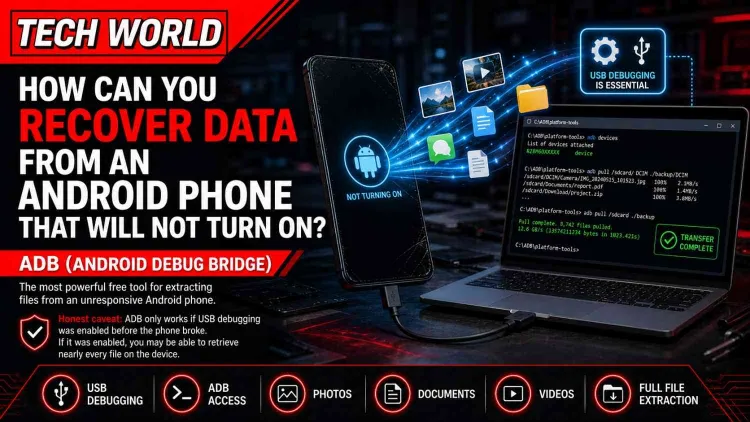
How Can You Recover Data from an Android Phone That Will Not Turn On?
ADB (Android Debug Bridge) is the most powerful free tool for extracting files from an unresponsive Android phone.
Here is the honest caveat first. ADB only works if you had USB debugging enabled before the phone broke. Most people have not. But it is worth checking, because if you did, this method retrieves virtually every file on your phone.
What is ADB, and how does it work?
ADB is a command-line tool built by Google. It creates a direct communication channel between your phone’s internal storage and your PC, bypassing the screen entirely. Think of it as a direct wired connection to your phone’s brain.
What if USB Debugging was not enabled?
This is where most people hit a wall. Without USB debugging, your phone will not communicate freely with ADB. In this case, your options become:
- Software tools like Dr.Fone, EaseUS MobiSaver, or Tenorshare UltData that attempt deeper device communication
- Boot into recovery mode (does not give file access on most devices)
- Professional broken phone data recovery at a certified lab
Tool Comparison for Dead Android Recovery
| Tool | Price | Works Without USB Debugging | Success Rate |
| Dr.Fone | £60–£80/year | Limited | High for partial damage |
| EaseUS MobiSaver | £50–£70/year | No | Good for soft damage |
| Tenorshare UltData | £45–£65/year | No | Good for a cracked screen |
| ADB (free) | Free | No (needs pre-enabled) | Excellent if enabled |
How Do You Recover Photos and Files from a Broken iPhone?
For a broken iPhone, Apple’s own backup systems are usually the fastest and most complete solution.
iTunes or Finder Backup Recovery:
If you ever connected your iPhone to a Mac or PC, iTunes (or Finder on macOS Catalina and later) likely created a full backup. Connect a replacement or borrowed iPhone and restore from that backup. Or use third-party tools like PhoneRescue or AnyTrans to extract specific files from the backup without doing a full restore.
iCloud Backup Recovery:
Go to iCloud.com and look for Photos, Contacts, Notes, and other app data. A full iCloud backup restores to a new iPhone through Settings. Important: iCloud backup and iCloud Photo Library are different things. Backup is a snapshot taken at set intervals. The photo library syncs continuously.
Third-Party iPhone Recovery Tools:
Tools like FoneLab and iMobie PhoneRescue can scan your iCloud backup selectively, pulling only photos without overwriting anything else. They cost around £30–£60 as one-time purchases.
| Recovery Method | Cost | Speed | Works Without PC |
| iCloud.com | Free | Instant | Yes |
| iTunes/Finder Restore | Free | 30–60 mins | No |
| PhoneRescue / FoneLab | £30–£60 | 20–40 mins | No |
What if your phone got water-damaged? Can you still get your files?
Water damage is time-critical, but most phones that arrive at a repair shop within 24 hours can still give up their data.
I want to bust the biggest myth in phone repair right now. Rice does not save your data. It never did. Rice absorbs a tiny amount of surface moisture. It does nothing for the corrosion already happening on your phone’s circuit board. By the time you finish burying your phone in a bowl of rice overnight, the damage is getting worse, not better.
What actually works in the first 60 minutes:
- Power the phone off immediately. Do not try to turn it on.
- Do not plug it in to charge. This is the number one cause of permanent board failure.
- Remove the SIM card and any memory card.
- Pat dry any visible water with a soft cloth.
- Place the phone in a bag of silica gel sachets (the kind that come in shoeboxes), not rice.
- Bring it to a professional as soon as possible.
If your water-damaged phone still powers on:
Connect it to a PC immediately and copy every folder you can. Use MTP file transfer or use the phone’s cloud backup to force a manual sync right now. Every minute of power-on time increases corrosion risk, so copy files fast and then power off.
Professional water damage recovery costs:
Basic ultrasonic cleaning and data extraction: £80–£200. Advanced NAND chip-off recovery (where the memory chip is physically removed and read separately): £300–£800+. At our “water damage repair” service, we examine the board first and give you a clear cost estimate before any work starts.
Can You Recover Files from a Phone with a Broken Charging Port?
A broken charging port is annoying, but it rarely means your data is gone.
If your phone still has battery life, here are your options:
Wireless Charging:
If your phone supports Qi wireless charging (most phones after 2018 do), you can get it powered up without the port. The Samsung Galaxy, iPhone 8 and later, and Google Pixel 3 and later all support wireless charging. Once powered on, force a cloud backup immediately.
Wireless ADB:
If you had Wi-Fi ADB enabled before the damage, you could connect to your phone entirely over your home Wi-Fi network and extract data from the dead phone storage without touching the charging port.
Professional NAND Recovery:
If the port is broken AND the battery is dead, a certified lab can directly read the NAND flash chip. This is a specialist procedure. Not every local shop does it, but we handle these cases at our “phone repair Burton” centre when the situation calls for it.
What Are the Best Free Tools to Recover Data from a Broken Phone?
Free tools are powerful for some situations, but they have real limitations you need to know.
Best free Android options:
- ADB: Completely free, requires USB Debugging to be pre-enabled, technically complex
- Google Photos: Free if you were already backing up
- Samsung Smart Switch: Free for Samsung devices, good for partial backups
- Disk Drill (free tier): Scans for recoverable files, limited recovery without paid version
- Recuva: Excellent for recovering files from SD cards
Best free iPhone options:
- iCloud.com: Free, instant access if iCloud was syncing
- Finder / iTunes: Free, requires a prior backup to exist
- Apple Support recovery request: Limited but worth trying
Free vs. Paid: What you actually get
| Feature | Free Tools | Paid Tools |
| Cloud backup recovery | Full access | Full access |
| Deep storage scan | Limited | Full scan |
| File type range | Basic | All types |
| WhatsApp recovery | Rarely | Usually yes |
| Success rate (no backup) | Low | Moderate–High |
Honestly? If you had no backup and your phone would not turn on, free tools are unlikely to help. That is the honest truth; most reviews do not tell you because they earn commission from paid tools.
Should You Take Your Broken Phone to a Professional for Data Recovery?
If you have tried DIY methods and failed, or if the damage is physical rather than software-level, professional help is your best option.
Signs you need a professional:
- Phone has zero response and no charge indication
- The screen, charging port, and power button are all damaged simultaneously
- Water damage that has been left for more than 12–24 hours
- The phone was physically crushed, bent, or exposed to fire
What happens at a professional data recovery service:
First, the technician runs a full diagnostic to understand what is physically damaged. For software or screen issues, data extraction via ADB or direct PC connection is attempted. For board-level damage, a cleanroom chip-off procedure removes the NAND flash and reads it directly using specialist hardware.
At Tech World in Burton, we handle broken phone data recovery cases weekly. We give you a clear cost before any work starts, and we operate on a no-data, no-fee basis for recovery jobs. Walk in at 16 Underhill Walk, Burton-on-Trent, or check our “phone repair services” page for what we cover.
Cost comparison: DIY vs. Professional
| Option | Cost | Success Rate | Time |
| DIY Cloud/ADB | Free | High if backup exists | Minutes |
| Paid software tools | £40–£80 | Moderate | 1–3 hours |
| Local repair shop | £50–£200 | Good for common damage | Same day |
| Certified lab (chip-off) | £300–£800+ | Highest for severe damage | 5–15 days |
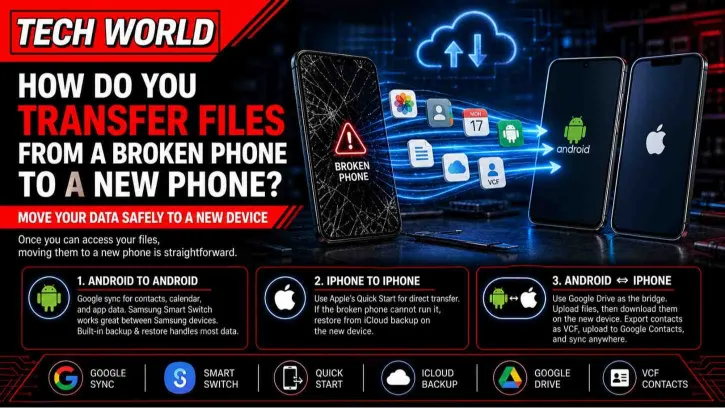
How Do You Transfer Files from a Broken Phone to a New Phone?
Once you have access to your files using any of the methods above, transferring them is straightforward.
Android to Android:
Use Google account sync for contacts, calendar, and app data. For photos and files, Samsung Smart Switch works excellently between Samsung devices. Google’s built-in backup and restore handles most data when you sign into a new Android phone.
iPhone to iPhone:
Apple’s Quick Start feature transfers everything from one iPhone to another directly. If the broken phone cannot run Quick Start, restore from iCloud backup on the new device.
From broken Android to iPhone (or vice versa):
Use Google Drive as the bridge. Upload everything you can to Drive from the broken device and then download it to the new one. For contacts, export as a VCF file, upload to Google Contacts, and sync to any new device.
What Mistakes Do People Make That Permanently Destroy Their Data?
These are the four mistakes I watch people make regularly, and they turn a recoverable situation into a permanent loss.
Mistake 1: Charging a water-damaged phone immediately
This is the single biggest killer. Water on a powered circuit board does not destroy data on its own. Electricity through a wet board does. The short circuit that follows charging a wet phone can fry the NAND chip beyond recovery.
Mistake 2: Downloading random free recovery apps from the internet
Some of these install malware. Others simply do not work. I have seen phones arrive at our “smartphone repair” service in worse condition after someone tried three different unverified tools on a partially working phone.
Mistake 3: Waiting too long
Every hour of corrosion inside a water-damaged phone reduces recovery chances. Every power cycle on a failing device risks further damage to the storage chip. The people who act within hours have far better outcomes than those who wait a week.
Mistake 4: Attempting physical screen repair before backing up
This one is painful to watch. Someone books a screen repair, we open the device, and they ask mid-repair whether their data is still there. Always, always back up your data before any physical repair if you have any method of accessing your files.
Are There Privacy Risks with Data Recovery Software?
Yes, and this is a conversation the industry does not have often enough.
When you install a data recovery tool on your phone, you are granting it deep access to your storage. Legitimate tools like Dr.Fone, EaseUS MobiSaver, and PhoneRescue are safe and reputable. But the market is full of imitations.
How to verify a recovery app is legitimate:
- Check it on a trusted source like the Google Play Store or Apple App Store
- Read developer information and look for verifiable company details
- Check independent reviews on Trustpilot or G2, not just the tool’s own website
- Never install a tool that asks for payment before showing you what it found
When sending your phone to a repair shop:
Ask what their data handling policy is. At our “Tech Repair Shop Burton” service, we make it standard practice to tell customers exactly what we access and why. A reputable shop will never browse your personal photos or transfer your data anywhere except back to you.
What Can You Do Right Now to Prevent This From Happening Again?
Five minutes of setup today saves hours of panic tomorrow.
Set up Google Photos auto-backup:
Open Google Photos, tap your profile picture, go to “Photo Settings,” and then “Backup.” Turn it on. Choose “High quality” for free unlimited storage or “Original quality” if you have Google One storage.
Set up iCloud auto-backup (iPhone):
Go to Settings, tap your name, then iCloud. Turn on Photos. Then go to iCloud Backup and tap Back Up Now.
The 3-2-1 backup rule (what IT professionals actually follow):
- 3 copies of your data
- 2 different storage types (cloud + local)
- 1 copy kept off-site (cloud counts)
Top cloud backup services compared:
| Service | Free Storage | Auto-Sync | Best For |
| Google Photos | 15GB (shared) | Yes | Android users |
| iCloud | 5GB | Yes | iPhone users |
| OneDrive | 5GB | Yes | Windows users |
| Dropbox | 2GB | Yes | Cross-platform |
| Google Drive | 15GB (shared) | Manual | All file types |
Also consider a protective phone case. We stock a range at our phone accessories section at TechWorld. A good case with lip protection around the screen reduces drop damage significantly, and it costs far less than a recovery service.
Real Cases: People Who Got Their Data Back
Case Study 1: Five Years of Photos from a Shattered Samsung Galaxy S21
A customer came in three days after dropping her Samsung Galaxy S21. The screen was completely shattered, and the touch was unresponsive. We connected an OTG mouse adapter, navigated to her Google Photos app, confirmed backup was running, and found that 94% of her photos were already safely in the cloud. The remaining 6% from the last three days before the break were pulled directly via USB in MTP mode. Total recovery time: 45 minutes. Total cost: Free, as part of her screen repair assessment.
Case Study 2: iPhone Dropped in a Swimming Pool
A teenager’s iPhone 12 spent about 20 seconds in a pool before retrieval. He then made the common mistake of trying to charge it immediately. The phone powered on briefly, then died. We cleaned the board using ultrasonic methods, restored partial power, and initiated an iTunes backup. 87% of the data was recovered. The iCloud backup from two days prior covered the rest. Professional recovery cost: £120.
Case Study 3: Dead Android, No Backup, ADB Saves the Day
A small business owner had no cloud backup and a Google Pixel 5 that would not power on after a drop. During our initial setup of the device two months earlier, we had enabled USB debugging. We connected via ADB, ran a full pull command, and recovered 12 GB of files, including customer invoices, contracts, and all photos. Time taken: 2 hours. This is exactly why we always recommend enabling USB debugging in Developer Options.
Myth-Busting: What You Have Been Told That Is Simply Wrong
“Your data is gone forever if the screen breaks.” False. The screen is just an output display. Data lives on the storage chip. A broken screen changes nothing about data accessibility at the hardware level.
“Rice fixes water damage.” Myth. Rice absorbs surface moisture slowly. It does not prevent corrosion. It does not clean oxidation from circuit boards. It gives you false comfort while the damage gets worse.
“You need to pay thousands for professional recovery.” Exaggerated. Most recoveries cost between £80 and £300. Chip-off recovery for severely damaged devices costs more, but it is not the standard case.
“Free recovery software always works.” Misleading. Free tools work well when a cloud backup exists. For physical damage with no prior backup, free tools rarely succeed. This is an industry-wide truth that gets buried under affiliate marketing.
“Only Apple or Samsung can recover your phone’s data.” False. Independent certified repair shops handle these cases every day. In fact, third-party specialists often have more flexibility and faster turnaround than manufacturer services.
Conclusion: Your Data Is Almost Always Recoverable If You Act Smart
Here is the truth about recovering data from a broken phone. The technology to get your files back exists. The methods are proven. What determines success is usually speed and decision-making, not the damage itself.
Start with the simplest path: check your cloud backup right now. If Google Photos or iCloud is running in the background, you may already have everything. If not, try a USB connection to your PC. If that fails, try OTG accessories or ADB tools. And if all of that leaves you stuck, professional help is not a last resort; it is a reliable, affordable option that works.
At Tech World in Burton, we recover data from broken, water-damaged, and completely dead phones regularly. We offer honest pricing and no-fix-no-fee terms, and we handle your files with complete privacy. Our “phone repair services” cover everything from “screen repair Burton” to advanced data recovery from damaged devices.
Walk in at 16 Underhill Walk, Burton-on-Trent, DE14 1DE. Do not let a broken screen become a permanent memory loss. The files you think are gone are probably still sitting on that chip, waiting for the right method to bring them back.